Get near-misses reported while they’re still fresh.
Operators report a near-miss or unsafe condition from the line by voice, photo or text, in their own language. Shopfloor AI ranks the severity, routes the follow-up and gives your plant one live view of safety.
The problem
Why most near-misses never reach a report
Every plant knows near-misses are early warnings. Few hear about more than a fraction of them, because reporting gets in the way of the work.
Reporting takes too long
Nothing visibly happens
The pattern stays hidden
How it works
From the line to the safety briefing
-
Report it from the line
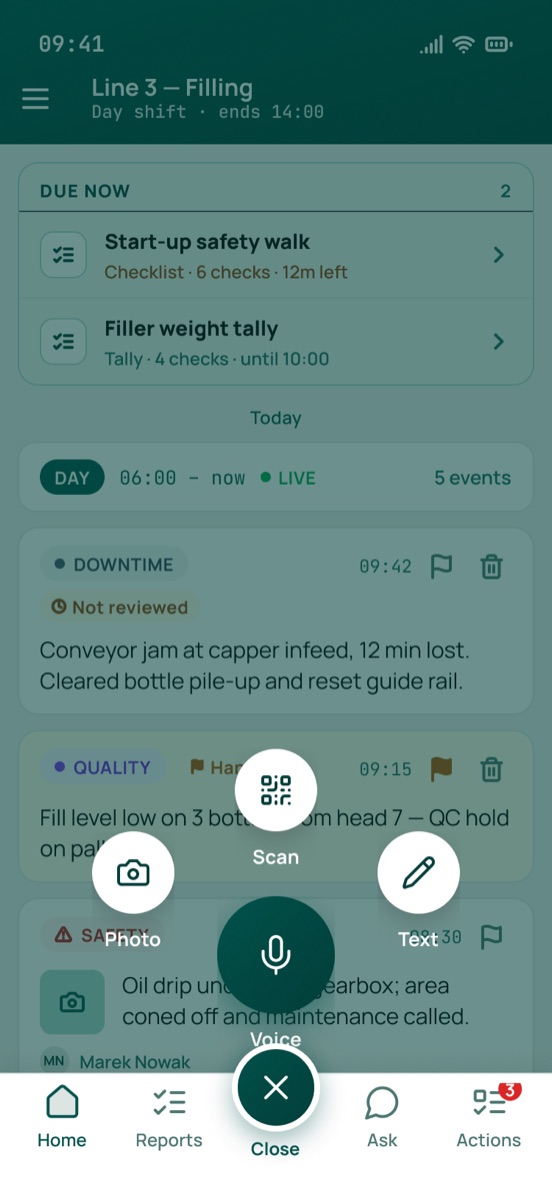
Tap capture and speak, take a photo or type a line. There’s no form to fill in, and no signal needed: the report waits on the phone and uploads when the connection is back. Scan an equipment QR code to attach the asset.

-
AI files it and ranks the risk
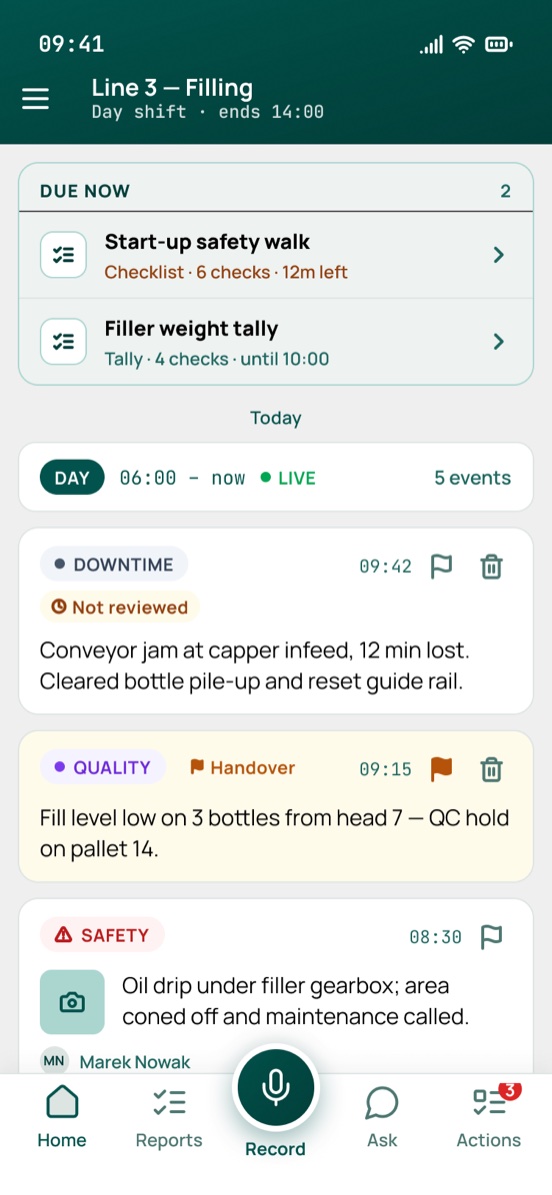
Shopfloor AI files the report under Safety, writes a one-line summary in your site’s language and ranks it high, medium or low. A safety report is never left unranked, and when in doubt it takes the higher rank. Supervisors can correct it, and the AI’s first read is kept.
-
The plant sees it and acts
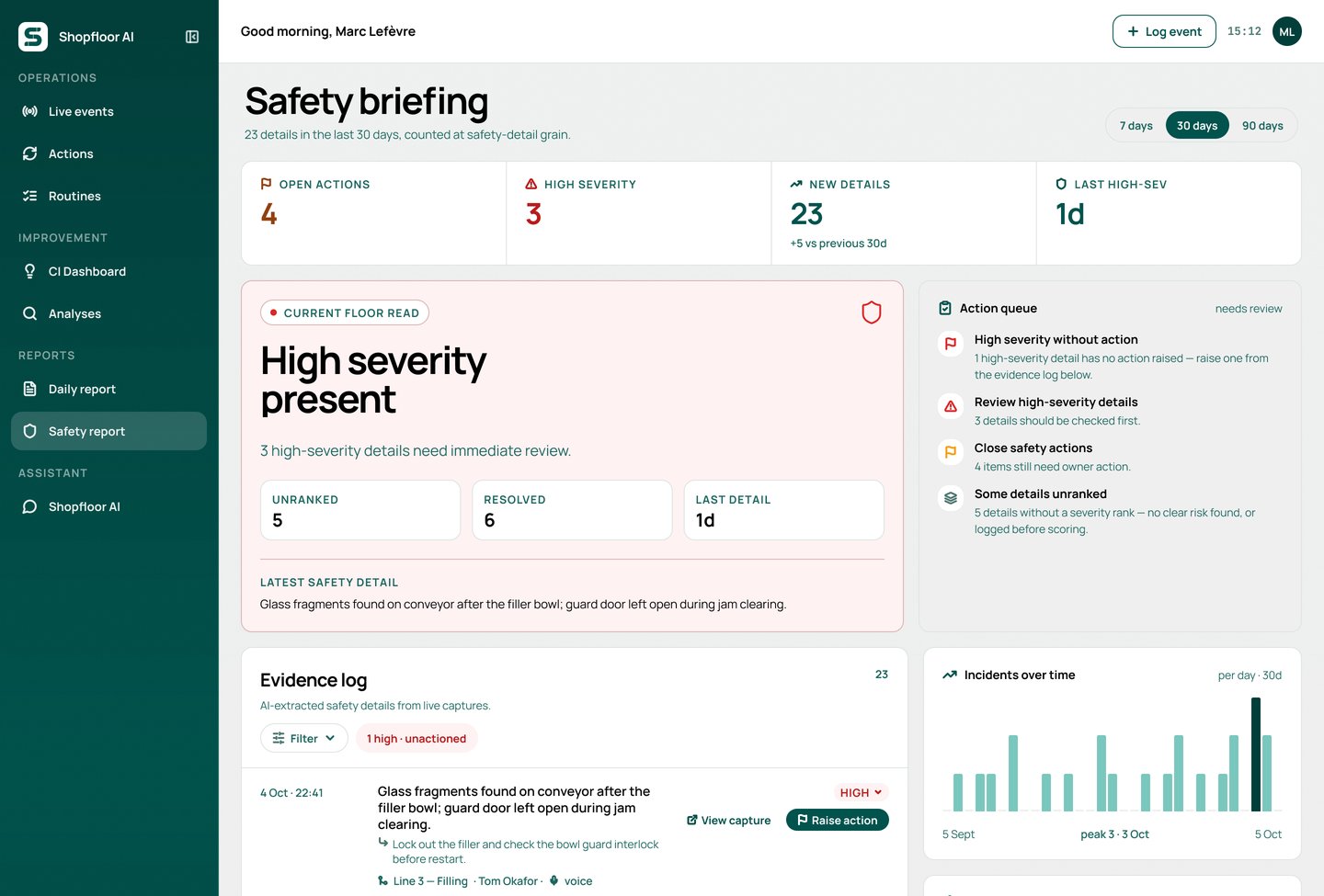
The safety briefing puts high-severity details first, then the actions still owed and every report behind them, across the last 7, 30 or 90 days. Raise an action straight from a report, with an owner and a due shift.
What you get
Built for how safety actually gets reported on a shift
Voice, photo or text, even offline
14 languages
Severity on every report
Follow-up that escalates
Fixes that stick
Repeat hazards surface
Questions
Near-miss reporting, answered
Other use cases run through the same app. See all use cases.
What counts as a near-miss?
A near-miss is an unplanned event that could have hurt someone or damaged equipment but didn’t: a pallet that slipped, a guard left open, a spill on a walkway. Shopfloor AI files these under Safety together with unsafe conditions, spills, hazards and PPE issues, and ranks each one high, medium or low.
Does it work where there’s no Wi-Fi?
Yes. Voice, photo and text reports are saved on the phone and upload automatically when the connection comes back, so operators can keep reporting from anywhere on the floor.
Can operators report in their own language?
Yes. The app and reports are available in 14 languages, and Shopfloor AI writes each summary in your site’s language, whatever language the operator spoke or typed in.
Who sees a near-miss report, and are reports anonymous?
Reports aren’t anonymous: each one carries the reporter’s name, so the supervisor can ask a follow-up question and tell them what was done. Supervisors and the plant team see them in their shift and safety reports, and you set who is notified when an action isn’t picked up.
Do we need to replace our EHS system?
No. Shopfloor AI captures what happens on the line, where most near-misses are never written down, and gives supervisors and the plant team a working view of it. Reports can be printed or saved as PDF for your existing safety process.
How do we get started?
Most plants start with a 90-day pilot on one line or area. That way you can measure reporting before and after, then scale to the rest of the plant.
Start with a 90-day near-miss pilot on one line
Measure how many near-misses get reported before and after, and how fast they’re closed.