Shift handovers drafted from what actually happened.
Every voice note, photo and check from the shift feeds the handover. Shopfloor AI drafts it, the team reviews it, and anything left open follows the next shift until someone closes it.
The problem
Why shift handovers lose information
Ten minutes at shift change has to carry eight hours of what happened. Most of it never makes the trip.
Handovers run on memory
Open issues fall through the gap
Supervisors rebuild the picture
How it works
From the line to the next shift
-
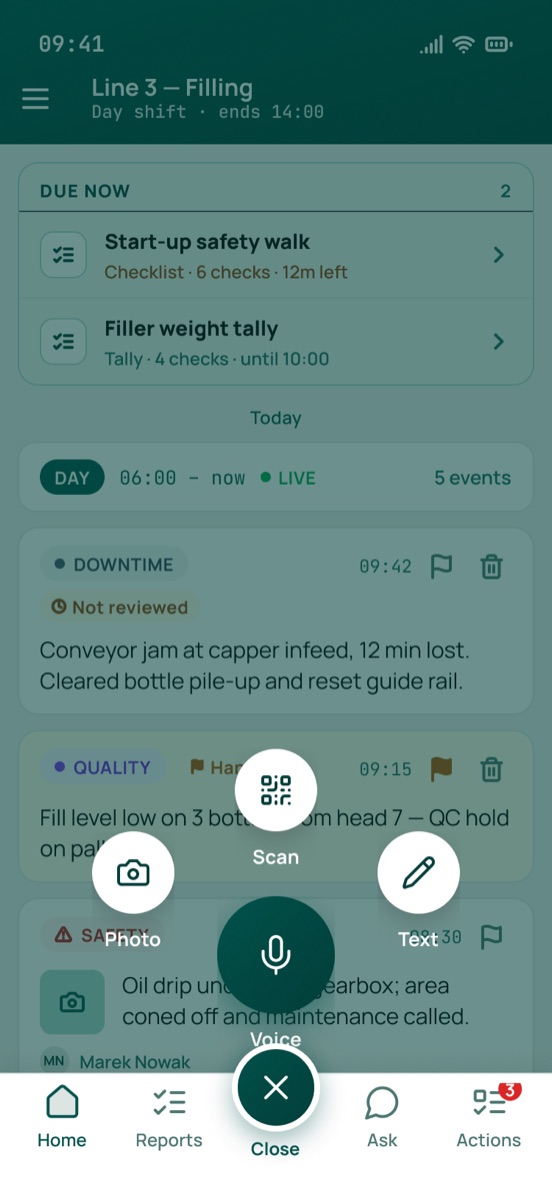
The shift captures as it goes
Operators log what happens by voice, photo or text, and complete the checks due on their shift. Anything the next shift needs to know gets one flag: Add to handover.

-
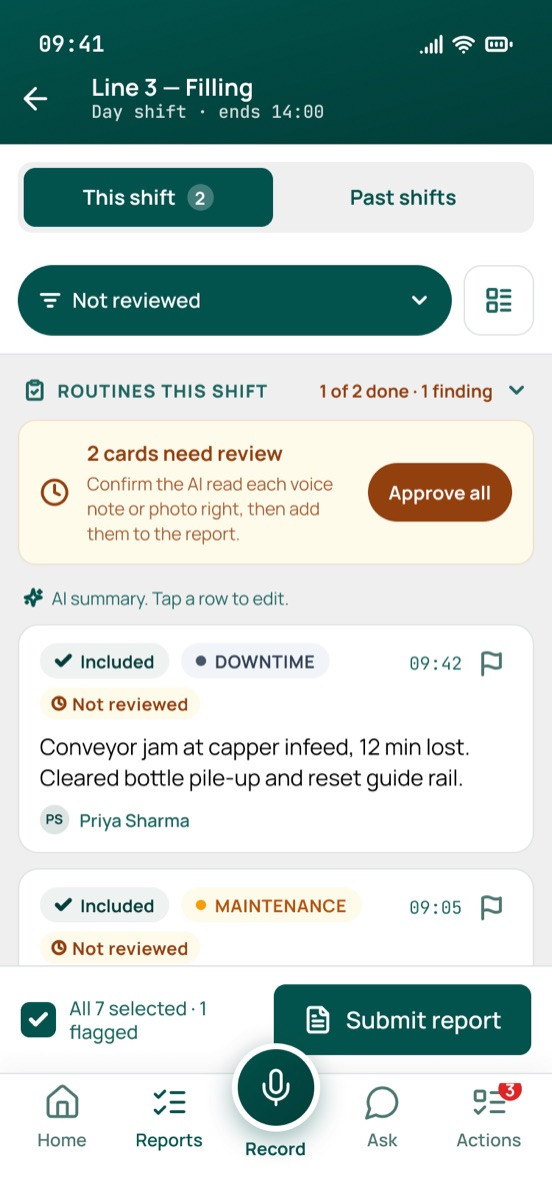
Each line’s handover is drafted for review
An hour before the shift ends, the handover opens. Shopfloor AI drafts a short summary from the shift’s captures, checks and form fills, in your site’s language. The operator confirms the AI read each note right, edits the draft and completes the handover.
-
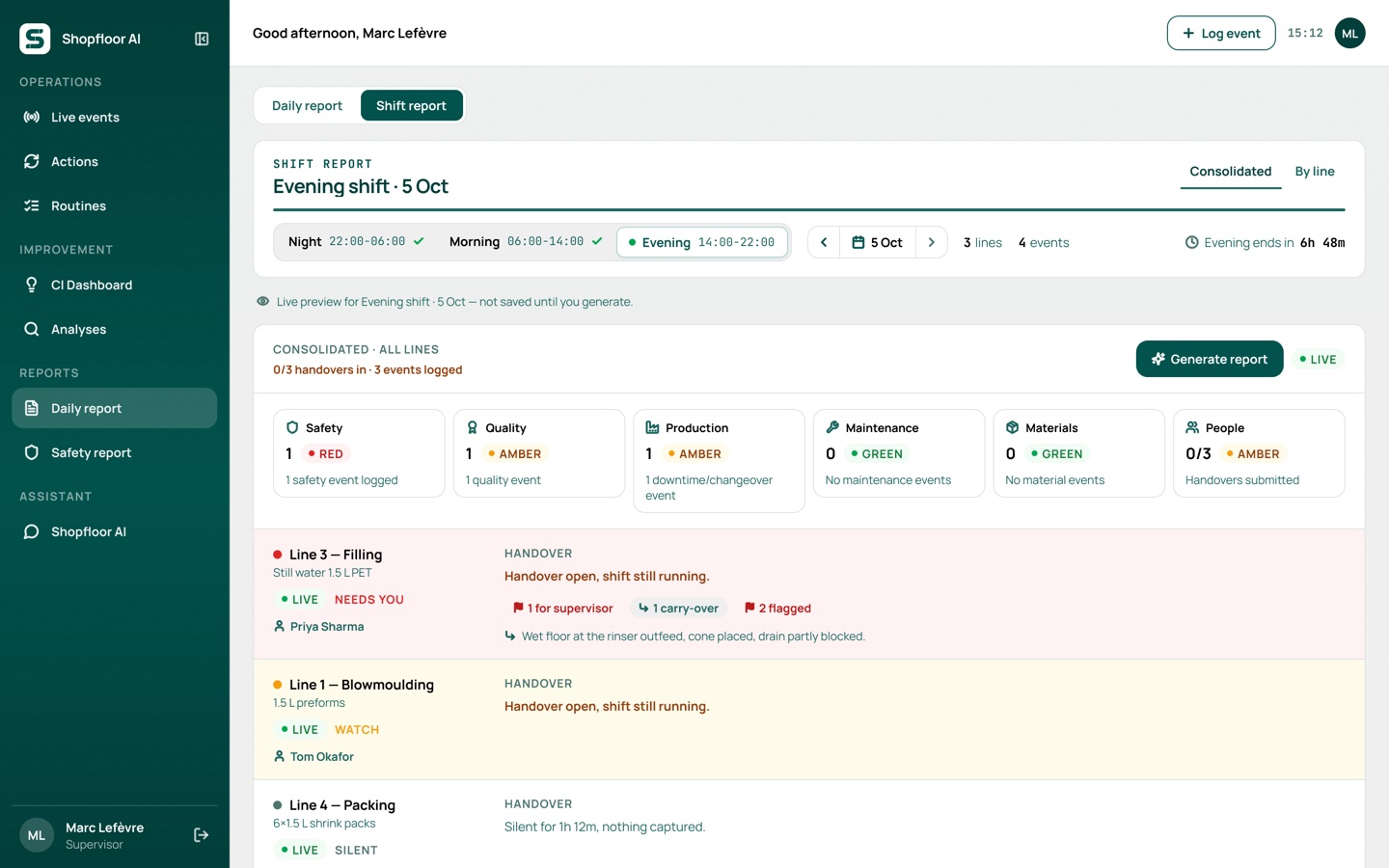
One shift report across every line
The supervisor generates one report for the shift. Each line is marked Needs you, Watch or On plan, six areas are rated green, amber or red, and the AI adds a short assessment and up to three priorities. It goes out by email with a PDF.
What you get
A handover the next shift can rely on
Nothing gets lost between shifts
The incoming shift sees what’s theirs
Grounded in the shift log
Your shifts, your lines
14 languages
A daily report before the morning meeting
Checklist
What to include in a shift handover report
Whatever tool you use, a good handover covers the same seven areas. Shopfloor AI fills most of them from the shift’s own captures.
 Safety: near-misses, hazards and anything still unsafe
- Quality: deviations, holds and complaints from the shift
- Production: output against plan, stops and their causes
- Maintenance: equipment status, open faults and temporary fixes
- Materials: shortages, changeovers and what’s staged next
- People: absences, training and who covers what
- Open actions: what’s unfinished, who owns it and by when
Questions
Digital shift handover, answered
Other use cases run through the same app. See all use cases.
What should a shift handover report include?
Safety events, quality issues, production against plan, equipment and maintenance status, materials, people, and every open action with its owner. Shopfloor AI rates each of these areas green, amber or red per line, so the next shift sees at a glance where to look first.
Does the AI write the handover on its own?
No. It drafts a short summary from the shift’s captures, checks and form fills, using only what the team logged. The operator edits it and completes the handover, and supervisors can edit the consolidated report; edits are marked.
What happens to issues that aren’t fixed by the end of the shift?
They carry over to the next shift’s handover. If an item is still open after three handovers on that line (you can set the number), it’s escalated to the supervisor automatically.
Can we keep our own shift pattern?
Yes. Shift windows are set per site, for example day, evening and night, and every line gets its own handover inside them.
How do reports reach managers?
The consolidated shift report is emailed with a PDF when the supervisor generates it, and the daily report when it’s published. Both can also be printed or saved as PDF from the app.
Do we need an MES connection?
No. Reports are built from what the team captures on the line. Where there’s no production data, the report says so rather than showing a guess.
Pilot digital handovers on one line for 90 days
See how much reaches the next shift, and how many open items get closed instead of carried.